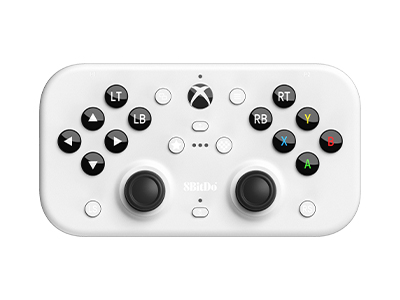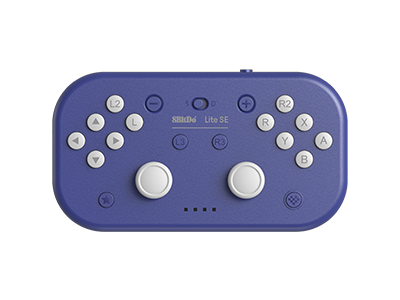
Lite SE
Designed for accessibility. 2.4G wireless on Xbox and Windows. Packed with programmable Super Buttons.
$44.99
$59.99
Firmware: v1.06
Firmware Updater:
Features
- Designed for accessibility
- Low-resistance buttons and joysticks
- Enhanced joystick sensitivity
- Unified face-button layout
- 2.4G wireless connection
- 3.5mm audio jack
- Vibration
Compatibility
- Xbox Series X|S
- Xbox One
- Windows 10 (1903) and above
In the Box
- 8BitDo Lite SE 2.4G Wireless Controller for Xbox
- 8BitDo Super Buttons x 2
- 2.4G adapter
- USB cable
- Instruction manual
Tech Specs
| Dimensions | 75x75x33 mm |
|---|---|
| Battery | 1000 mAh (Li-ion) |
| Charge Time | 4 hours |
Downloads
FAQ
What is the mode switch between S and D for?
It is a controller mode switch button. [S] is for Switch mode, the controller is compatible with Switch console including Switch Lite/OLED on this mode. [D] is for D-input mode, the controller is compatible with Android device on this mode.
Does the controller have Screenshot, Home button, HD rumble, notification LED, Turbo, NFC functions when connected to Switch? Can I also wake up my Switch wirelessly with it?
When it’s connected to Switch, the corresponding buttons are as below: [Screenshot = STAR button]/ [Home button = Logo button] HD rumble, notification LED, Turbo and NFC functions are not available on Switch. When it’s connected to other devices, [STAR button = Turbo button]. You cannot wake up your Switch wirelessly with this controller.
Does this controller have vibration or motion controls?
Yes it does, but only on S mode.
What devices does it work with?Is it able to auto-reconnect?
It works with Switch/Lite/OLED and Android devices and It’s able to auto-reconnect to the devices above once they have been successfully paired.
How do I charge the controller? How long does the battery last when fully charged?
We suggest you charge it via a phone power adapter. The controller uses 480mAh rechargeable battery with 1-2 hour charging time. The battery can last up to 20 hours when fully charged.
My Lite SE controller does not connect to Switch no matter how many times I have tried. What should I do?
This might be the reason that there were too many controllers connected to your Switch, as one Switch can take up to 10 controllers maximum at a time. Please follow the instructions below and try again: 1. Upgrade the Lite SE controller to the latest firmware version via Upgrade Tool first; 2. Change the mode switch to [S], connect it to the Switch via USB cable and wait for it to sync; 3. Unplug the USB cable when the syncing is done then press HOME button to build the wireless connection.
How many Lite SE controllers can I use on a device simultaneously?
It depends on the number of controllers that each device can take. Generally, multiple Lite SE controllers can be used simultaneously.
What is the Bluetooth range of the controller?
10 meters. The controller functions the best within the range of 5 meters.