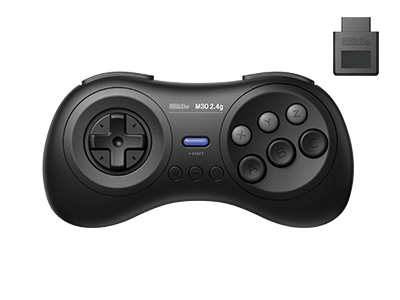
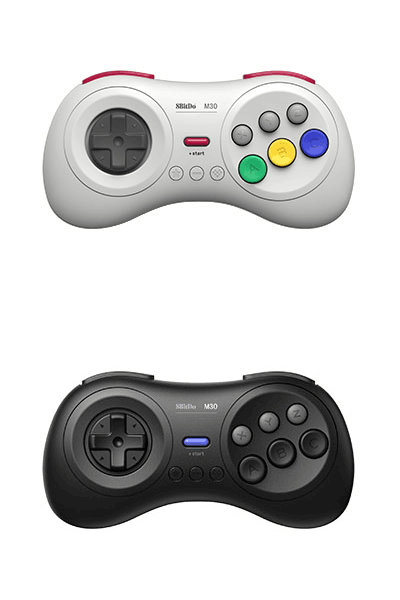
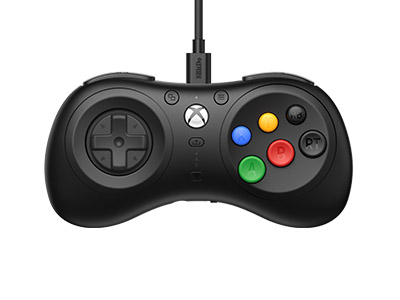
M30 2.4G for SG Mini & MD Mini
Compatible Systems:
Mega Drive
Mega Drive Mini
NES
Raspberry Pi
Sega Genesis
Sega Genesis Mini
Switch
Windows
Play your SEGA Genesis & Mega Drive wirelessly.
Features
- Turbo function
- Access the Analogue Mega SG HOME menu wirelessly
Compatibility
- SEGA Genesis & Mega Drive
- Analogue Mega SG
In the Box
- M30 2.4G Controller
- 2.4G Wireless Receiver
- USB Cable
Tech Specs
| Dimensions | 147x74x31 mm |
|---|---|
| Weight | 114g |
Downloads
FAQ
What is the difference between M30 bluetooth, M30 2.4G for original Genesis/Meg Drive and M30 2.4g for Genesis Mini/Mega Drive Mini?
Difference #1 - compatibility & connectivity: M30 bluetooth works with Switch,Windows,Android,Raspberry Pi,macOS as well as all devices 8BitDo bluetooth receivers support. M30 2.4G for original Genesis/Mega Drive has its own dedicated 2.4g receiver included. It connects to the original Sega Genesis, Mega Drive1&2 and Analogue Mega Sg, wirelessly via the receiver. On USB connection, it works with Switch, Windows 10 and Raspberry Pi. M30 2.4G for Genesis Mini/Mega Drive Mini has its own dedicated 2.4g receiver included. It works with Genesis Mini/Mega Drive Mini as well as Switch, wirelessly via the receiver. On USB connection, it works with Switch, Windows 10 and Raspberry Pi. Difference #2 - compatibility & connectivity: STAR button M30 bluetooth: star button = screenshot button on Switch mode. M30 2.4G for original Genesis/Mega Drive: start button = turbo button on Switch mode. M30 2.4G for Genesis Mini/Mega Drive Mini: start button = turbo button on Switch mode. Controller mode LED indicator M30 bluetooth: there are four LED lights on the bottom of the controller indicating the controller mode. M30 2.4G for original Genesis/Mega Drive: N/A M30 2.4G for Genesis Mini/Mega Drive Mini: N/A Pairing button M30 bluetooth: there is a dedicated button on the top of the controller next to the USB port. M30 2.4G for original Genesis/Mega Drive: there is no dedicated button for this. “ - ” button functions as so. M30 2.4G for Genesis Mini/Mega Drive Mini: there is no dedicated button for this. “ - ” button functions as so. USB port M30 bluetooth: USB-C M30 2.4G for original Genesis/Mega Drive: Micro USB M30 2.4G for Genesis Mini/Mega Drive Mini: Micro USB
What is the difference between M30 2.4G for Mini and M30 2.4g for original SG/MD?
The differences are: A. The shape of the receiver port for each receiver. B. System compatibility. M30 2.4g Mini is for Sege Genesis Mini & Mega Drive Mini. M30 2.4g for SG/MD is for original Sega Genesis & Mega Drive. Note: Both can work with Switch, Windows 10 and Raspberry Pi via wired USB connection.
Can I use the 2.4g receiver for M30 2.4g for Mini with my M30 2.4g for original SG/MD?
No, you can not.
Can I use this 2.4g receiver for SG/MD Mini with my PC?
No, it does not work with PC. You use connect the 2.4g controller to your PC via the USB cable and play.
What systems does it work with?
It works with Sega Genesis Mini and Mega Drive Mini. It also works with Switch, Windows 10 and Raspberry Pi via USB cable.
Can I map the buttons? What can I do if I incorrectly mapped the buttons?
Yes, you can map the buttons. This is what you can do if the buttons are incorrectly mapped: LEFT + Select : set Dpad as left analogue stick Up + Select : reset Dpad Right + Select : set Dpad as right analogue stick Down + Select : Swap A/B and X/Y mapping *Press and hold any of the key combinations above for 5 seconds to map the buttons. *LED will blink in red to indicate the success of each button mapping. *You need to reset the buttons manually.
Does it work with 8BitDo bluetooth receivers/adapters?
No, it does not. It only works with the 2.4g receiver which comes with it.
What do the two shoulder buttons do?
When it is connected to SG Mini/SG Mini: L = Z R = C When it is connected to Switch: C = R Z = L L = ZL R = ZR When it is connected to Windows 10: Z = R1 C = R2 L = L1 R = L2
Can I use it with Sega Saturn, PS3, PS4, Xbox One, Xbox 360, Wii, Wii U?
No, you can not.
Does it work with other 2.4g receivers by 8BitDo, for instance, SN30 2.4g receiver?
No, it does not work any other 2.4g receiver except for the one which comes with this controller in the box.
Can I use two M30 2.4g for Mini on one SG Mini/MG Mini?
Yes, you can. One receiver for one controller port. One receiver for one controller.
How do I charge the controller? How long does the battery last when fully charged?
We suggest you charge it via a phone power adapter. The controller uses 480mAh rechargeable battery with 1-2 hour charging time. The battery can last up to 35 hours when fully charged.