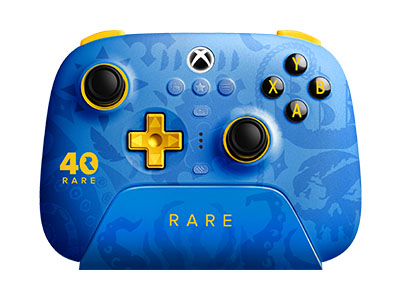
Ultimate 3-mode Controller for Xbox - Rare
$89.99
Firmware: v1.3.1
Features
- 2 Pro back paddle buttons
- 3.5mm audio jack
- Impulse trigger and vibration (only on Xbox and Windows)
- Upgraded bumpers and D-pad
- Custom profile switch
- Support 8BitDo Ultimate Software X
- Officially licensed by Xbox
- Hall Effect triggers and joysticks
- Includes
- 8BitDo Ultimate 3-mode Controller for Xbox
- Charging Dock
- 2.4G adapter
- USB cable
- Instruction manual
Compatibility
- Xbox Series X|S
- Xbox One
- Windows 10 and above
- Android
- Apple iOS 18.2 and above
- Apple iPadOS 18.2 and above
- Apple tvO0S 18.2 and above
- Apple macOS 15.2 and above
- Apple visionOS 2.2 and above
In the Box
- 8BitDo Ultimate 3-mode Controller for Xbox
- Charging Dock
- 2.4G adapter
- Joycap x 2
- USB cable
- Instruction manual
Tech Specs
| Dimensions | 147.0 x 104.0 x 61.5mm mm |
|---|---|
| Weight | 0g |
Connectivity
- Xbox Series / Xbox One: Wired USB
- Windows 10 / 11: 2.4G or Wired USB
- Android: Bluetooth
- 3.5 mm audio jack, supports standard CTIA connector
Downloads
FAQ
Instructions for calibrating the joysticks/triggers
Please follow the steps below: Calibrate via Software: 1. Download and launch Ultimate Software X from the Microsoft Store. Please visit https://apps.microsoft.com/ 2. Connect the controller to your Windows or Xbox device via wireless or wired connection. 3. Go to the “Sticks” or “Triggers” section and click “Calibrate”. 4. Follow the on-screen instructions to complete calibration. Calibrate Directly: 1. Controller in the powered-on state, press and hold the [LB+RB+View+Menu] buttons for 8 seconds to enter the calibration mode, the Status LED will start to blink. 2. Push the joysticks to the edge and rotate them slowly 2-3 times. 3. Slowly press the triggers to the bottom 2-3 times. 4. Press the same [LB+RB+View+Menu] buttons combination again to complete the calibration. Is the controller supported by the Ultimate Software for iOS / Android? Yes,it is.
Does the controller support the turbo or macro function?
No, it does not.
Is it possible for multiple controllers to pair and connect with one adapter?
No, it is not.
Does the controller support firmware updates on the Xbox console?
Yes, please access the [Ultimate Software X] for any further firmware updates of the controller.
Why does the SHARE button not working on Windows 10 devices?
The SHARE button is only available on Xbox consoles / Windows 11 devices. The SHARE button is not supported on Windows 10 devices, which behaves the same as the Xbox Wireless controllers. Please refer to this link for details -> https://support.xbox.com/
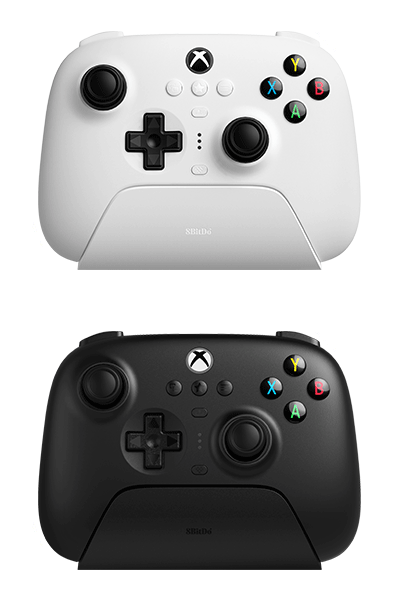
More in the Ultimate 3-mode Family

8BitDo Ultimate 3-mode Controller - Rare 40th Anniversary Edition
Controllers
Ultimate 3-mode
2.4g
bluetooth
wired
Shop ↗
$89.99
More Controllers



8BitDo 64 2.4G Wireless Controller - Classic Grey
Controllers
64 Controller
2.4g
wired
Shop ↗
$39.99


8BitDo 64 Controller - Funtastic Limited Editions
Controllers
64 Controller
bluetooth
wired
Shop ↗
$44.99

8BitDo 64 Controller - Prototype Limited Editions
Controllers
64 Controller
bluetooth
wired
Shop ↗
$44.99