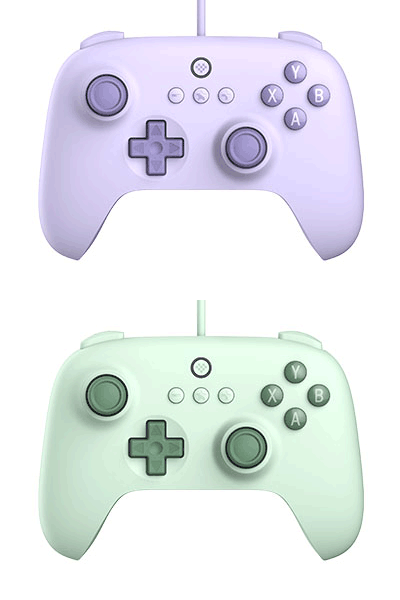
Ultimate C Wired Controller
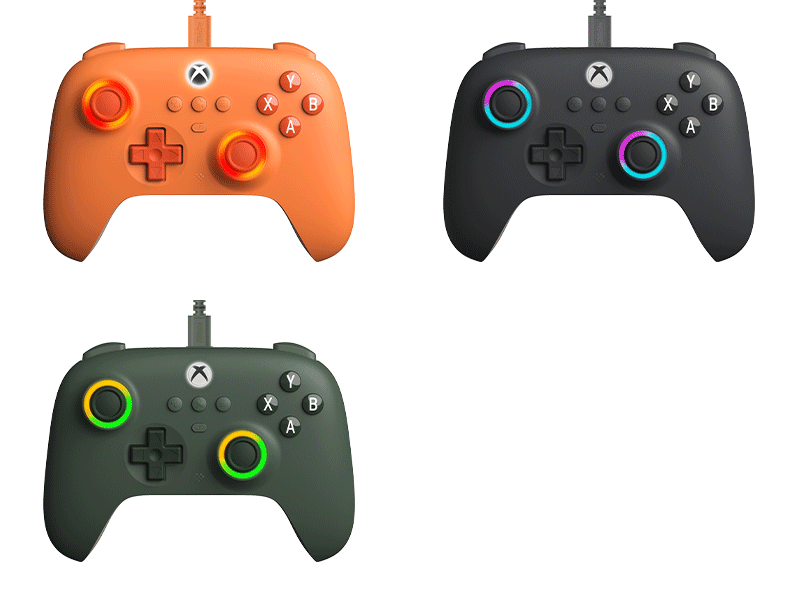
Simplified, with the same ultimate quality. RGB lighting Fire Ring. Officially licensed by Xbox. Compatible with Xbox Series X|S, Xbox One, and Windows.
$27.99
$34.99
Colors:
Dark Gray Dark Green Orange
Firmware: v1.09
Firmware Updater:
Features
- Fire Ring - RGB lighting joysticks
- Fire Ring Mode
- Light-tracing Mode
- Rainbow Ring Mode
- Hall Effect triggers and joysticks
- Impulse trigger and vibration
- Enhanced grip
- 3.5mm audio jack
- Upgraded bumpers and D-pad
- Officially licensed by Xbox
Compatibility
- Xbox Series X|S
- Xbox One
- Windows 10 and above
In the Box
- Ultimate C Wired Controller for Xbox
- USB cable
- Instruction manual
Tech Specs
| Dimensions | 146.7x103.5x61.3 mm |
|---|---|
| Weight | 216g |
Downloads
FAQ
Is the controller compatible with other platforms except Windows and Android?
The controller is also compatible with Raspberry Pi but it is not compatible with any other operating systems or platforms that are not mentioned.
Does the controller have rumble vibration on Windows and Android? What about other systems and platforms?
The rumble vibration works on Windows only.
Why do I feel stronger rumble feedback on the left side than the right side? Is my controller defective?
The controller is equipped with a pair of asymmetrical rumble motors on the left and right sides. Asymmetric motors can simulate a variety of vibrations according to different scenes in the game, creating an immersive sense while you play which is not a quality issue.
How do I switch the working modes of the controller?
Please hold X button first while connecting the controller to the USB port of your Windows device and please hold B button first while connecting the controller to the Android or Raspberry Pi device.
Is the controller plug-and-play?
Yes. Plug the USB cable of the controller into the USB port of your Windows device to play. When it’s on Android or Raspberry Pi device, please hold B button first while plugging in and wait until the system successfully recognize the controller to play.
Can I customize the controller with the 8BitDo Ultimate Software?
No, you can’t. It is not supported.
Are there any other special features of the controller?
You can disable the dead zone of the joysticks depending on your own needs. Press and hold [plus+minus] buttons on the controller for 5 seconds to activate the “No dead zone” mode of the joysticks, the controller will vibrate twice. Please note that the joysticks may drift in the game if you activate this mode but they will perform with high accuracy at the same time. Repeat the same procedure on the controller to deactivate the “No dead zone” mode of the joysticks, the controller will vibrate once.